More than the words
When a page is shown in a right-to-left language, the reading direction of the whole page flips. Text aligns to the right, lists and tables start on the right, and a "Next" arrow should point left. Browsers do most of that work, as long as the page says which direction it uses.
WordPress tells the browser through the dir attribute on the page. A site whose language is English says ltr, left to right. If you then show Arabic words on that page without changing the direction, the words are right but the layout reads wrong: punctuation lands at the wrong end and mixed lines jump around.
What Inpage Translate does
When a visitor uses the language switcher to view your site in a right-to-left language, Inpage Translate sets the page direction for them. That covers Arabic, Hebrew, Persian, Urdu and Pashto.
People who are signed in always see the mixed view, where each text shows the language it was last saved in, so the translations you work on are the ones you see.
Set it up
- 1Choose the languages to offer.
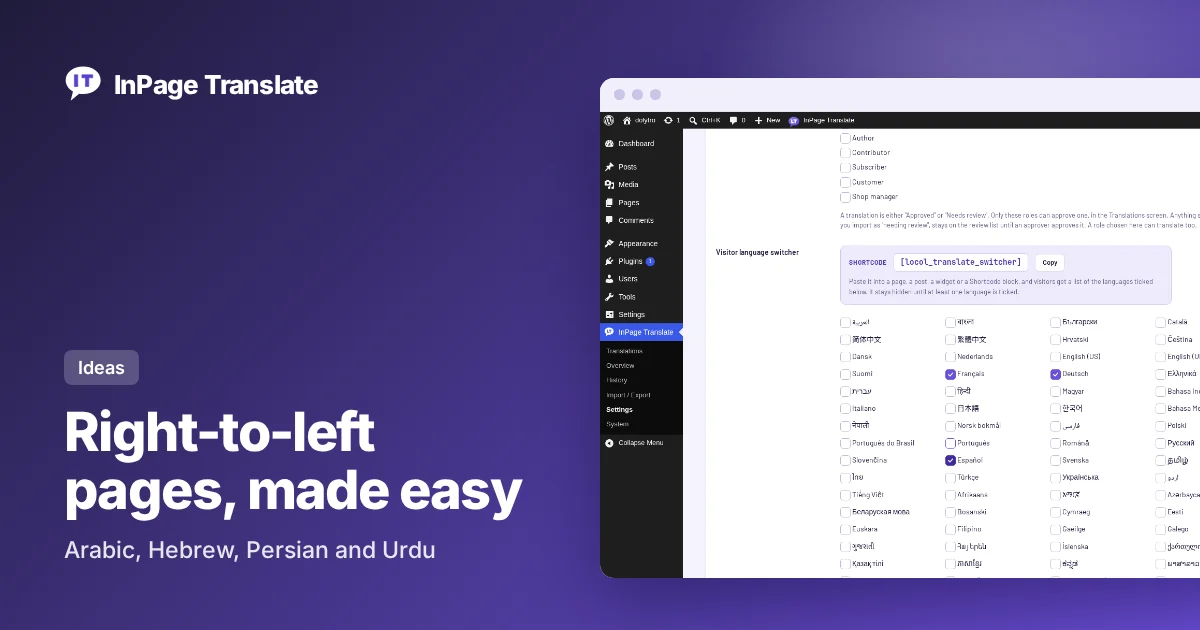
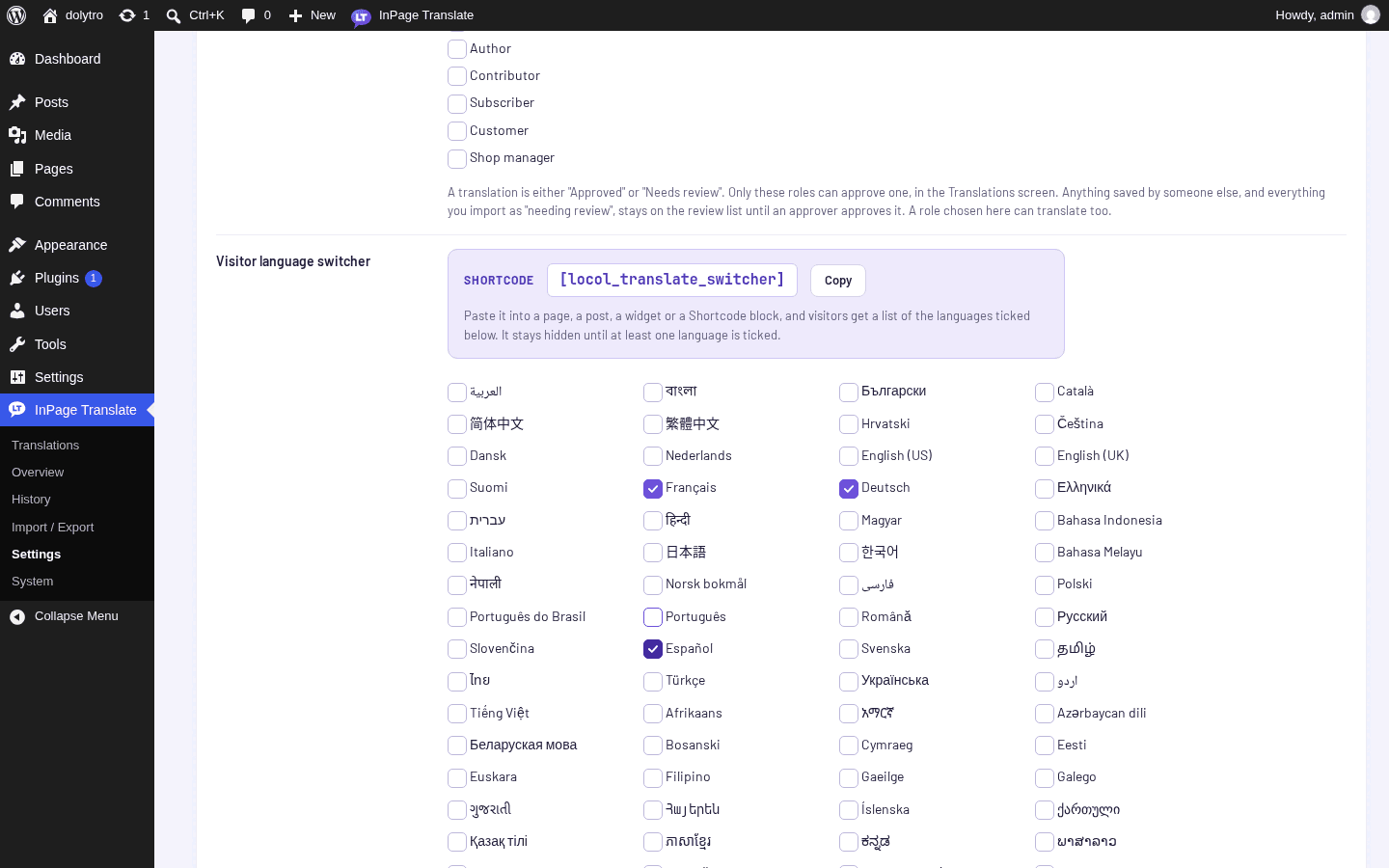
Go to Inpage Translate, then Settings, and tick the languages under Visitor language switcher. More than seventy are listed.
- 2Place the shortcode.
Paste
[locol_translate_switcher]into a page, a widget or a Shortcode block. - 3Translate the texts.
Turn on translate mode, choose Arabic or Hebrew in the editor, and translate what visitors read.
Check your theme
Most current themes ship a right-to-left stylesheet, often called rtl.css, that WordPress loads when the direction is right to left. If yours does not, a few things may look off: icons on the wrong side, margins that do not flip. Test a page in the right-to-left language before you announce it.
Caching
A page cache that ignores cookies serves everyone the same copy. The visitor's language choice is kept in a cookie, so make sure your cache varies by it, or excludes pages that use the switcher. See Troubleshooting.
Summary
Translate the words, offer the language with the shortcode, and Inpage Translate sets the direction of the page. Check your theme once, mind your cache, and right-to-left visitors get a page that reads the way they expect.